AI is making it easy to recreate professional tools. I suspect there’s a bigger opportunity being overlooked.
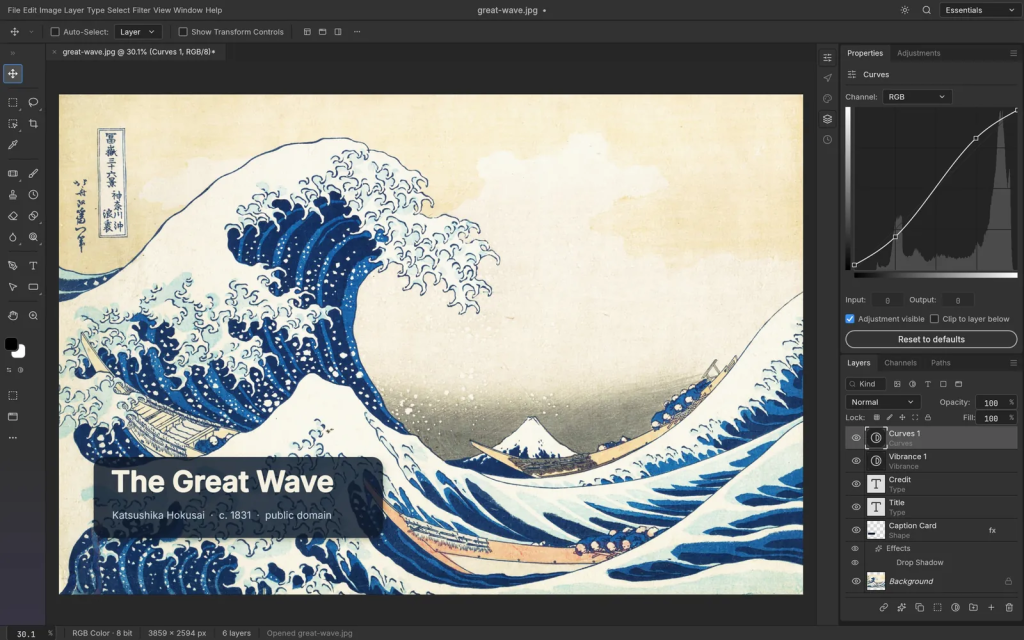
October saw the release of PhotoCraft, an open-source Photoshop clone built with AI that had a similar capability set, but without Adobe Creative Cloud’s exorbitant monthly price tag.
Building software with AI has become so cheap that a complex product which would have typically taken a large team to develop, can now be spun up for a fraction of the cost by a lone developer and a band of AI agents.
Even in an age where we can use AI directly in creative tasks to instantly generate designs and imagery, there’s still excitement around having tools that enable creatives to retain tight control to build out their vision.
So a cloned Photoshop solves the price problem, but if we still want to retain creative control we have to ask ourselves: do we all still need Photoshop’s way of working in the first place?
Just give me the outcome I want
Let’s take the example of a marketer that infrequently creates polished instructional product videos. They want their video edits to look professional, and need the ability to retain fine-grain creative control so that they can tweak and adjust timing, colour grading and titling to match their vision. But due to this not being the mainstay of their role, they may not want to navigate the complexities of a full editing tool like Premiere Pro or DaVinci Resolve.
This group of users that might find their needs met by a simpler, more convenient offering, can be referred to as overserved. The Christensen Institute’s disruptive innovation framework identifies this as a potential segment open to new offerings.
Applying a jobs to be done lens further offers a real-world perspective. It’s context that very much differentiates the marketer in a start-up who wants a high-quality video from the ad agency video editor that produces edits on a daily basis. Both of these users want creative control, however one will be less likely to invest time in learning and mastering a tool for which they will use intermittently.
The marketer may not want to master a new product, but they also don’t want to relinquish creative decisions to an agent. They may use an agent to form a rough cut, but have a clear vision to evoke a specific feeling in their audience, and directly editing the video themselves makes this easier to achieve than describing it in a prompt.
Build around the work, not the tools
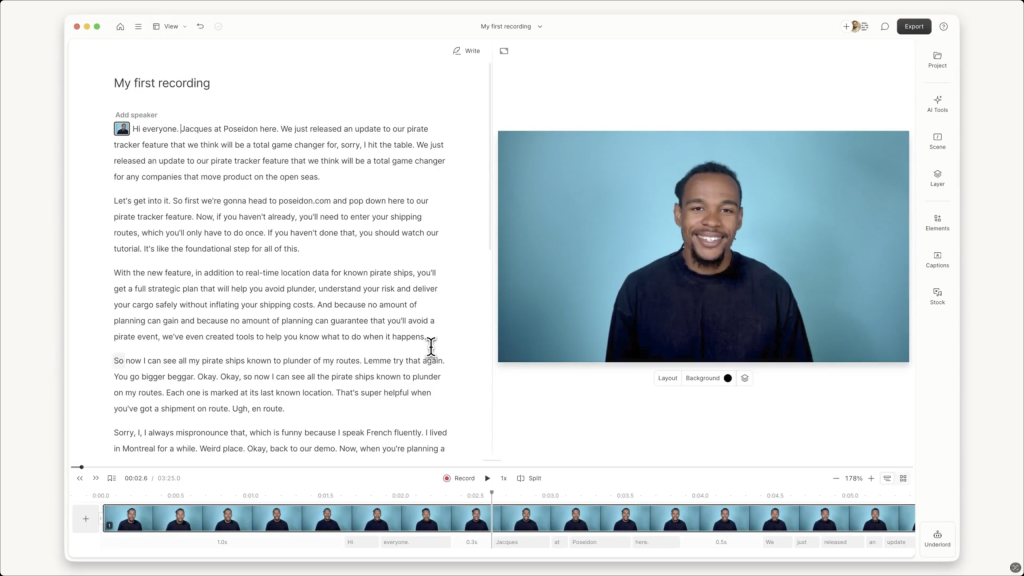
Apps that place the job to be done at the centre of the experience, whilst considering the user’s context and reducing the complexity of the tool’s mental model make for some really interesting value propositions.
Apps like Descript and Riverside allow video and audio editing not just through a traditional timeline, but through a transcript – so podcast audio could be edited simply by trimming words and lines to get the desired output. The learning curve is shallower, as the controls are organised around the script, but the tool still enables precision edits as you might achieve in a professional audio editing app.
The difference here is that the tools fit the workflow, the user doesn’t need to learn the tool to apply to their context, the tool has been adapted to fit the context and job to be done.
“This group of users that might find their needs met by a simpler, more convenient offering, can be referred to as overserved.”
New opportunities
The real design opportunity is to organise the controls around the work people recognise, rather than the structure and burden of a complex existing application. Previously held back by higher build costs, AI assisted development is now making more of these focused product offerings viable.
This doesn’t mean spinning up disposable ad-hoc solutions with AI. The overserved segment is a potential entry point for these new tools, but these users still expect software to be well maintained and supported for them to adopt into their workflow.
Rather than asking if we can create a cheap Photoshop replacement, we should be asking, which user tasks are being awkwardly served, where do users need control and how can we give them that control without overwhelming them?
Further Reading
- Playful wants the masses to start vibe coding – Fast Company, 5 November 2026
- Automattic debuts a platform to deploy vibe-coding apps amid a changing internet – TechCrunch, 9 November 2026
- Writing code versus shipping code: Productivity effects across generations of AI coding tools – VOXEU / CEPR, 21 June 2026
- ArtCraft App Suite – Suite of free, open-source creative and productivity tools